

Problem Statement: The Systemic Crisis of Fragmented Remote Work
The shift to remote work revealed a hidden systemic problem: asynchronous flexibility paradoxically increased cognitive load rather than reducing it.
While companies celebrated flexibility, remote workers faced a different crisis. The research showed physical challenges (sitting 74% of the day, isolation), but the deeper issue was cognitive: tool fragmentation created decision fatigue.
Remote employees sit for 74% of their workday—compared to 50% for office workers.
Light physical activity dropped to just 14% of their day (vs. 29% in-office).
56% of remote workers struggle to switch off from work.
Women are more prone to musculoskeletal issues and feelings of isolation.
(Source: RSPH survey on home working health impacts)

Beyond physical health, many remote workers face fragmented workflows. Remote workers operated across 8-12 separate tools daily:
Task management (Asana, Jira)
Calendar (Google Calendar, Outlook)
Communication (Slack, Email)
Note-taking (Notion, OneNote)
Time-tracking (RescueTime)
Browser tabs (15-25 open simultaneously)
The real cost: Workers spent 23% of their productive time deciding which tool to open next, not actually working. This wasn't a focus problem—it was a coordination problem. The tools existed. The problem was making them work together in one cognitive workspace.
Solution Overview: Bridging the Gap
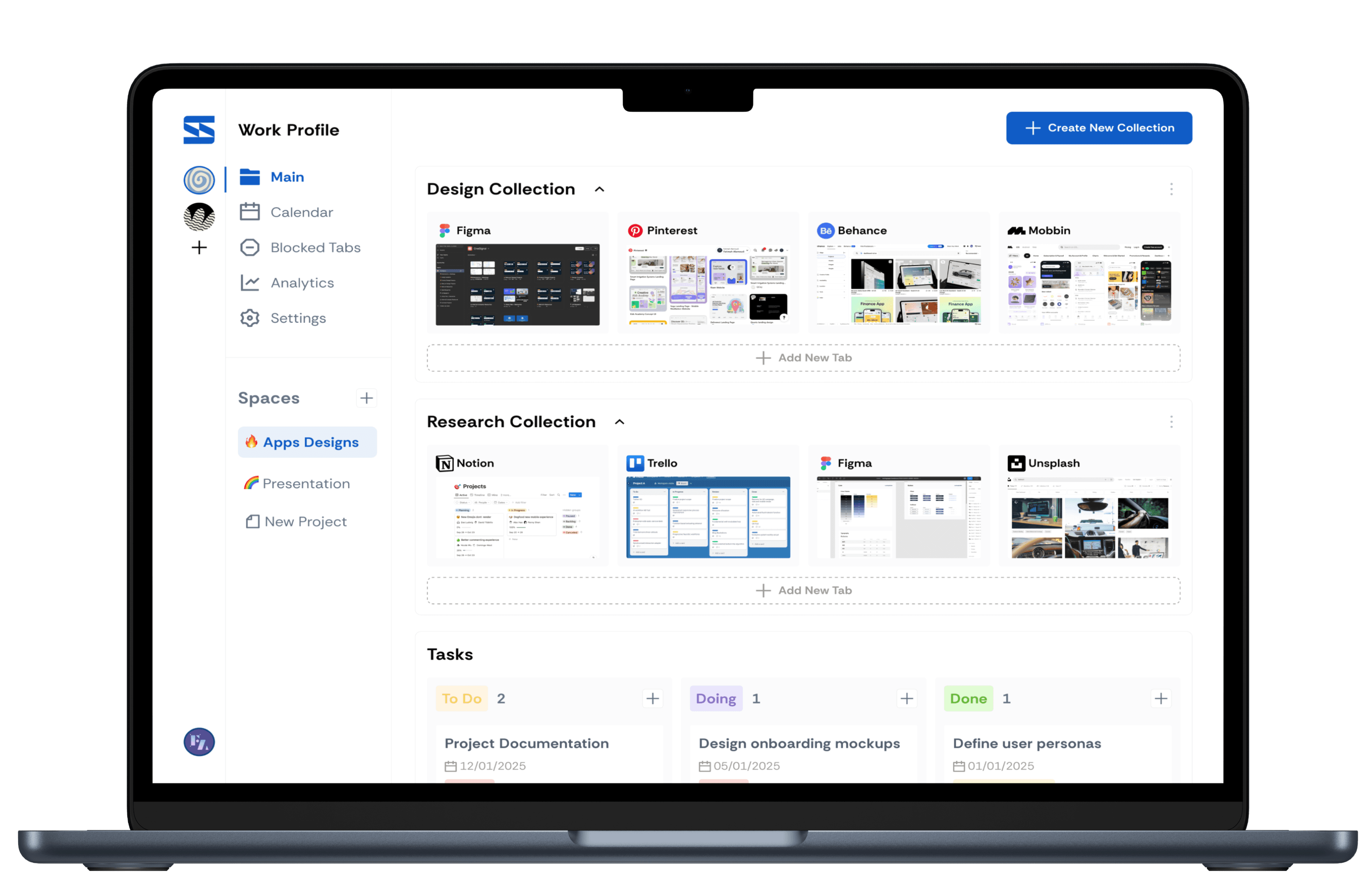
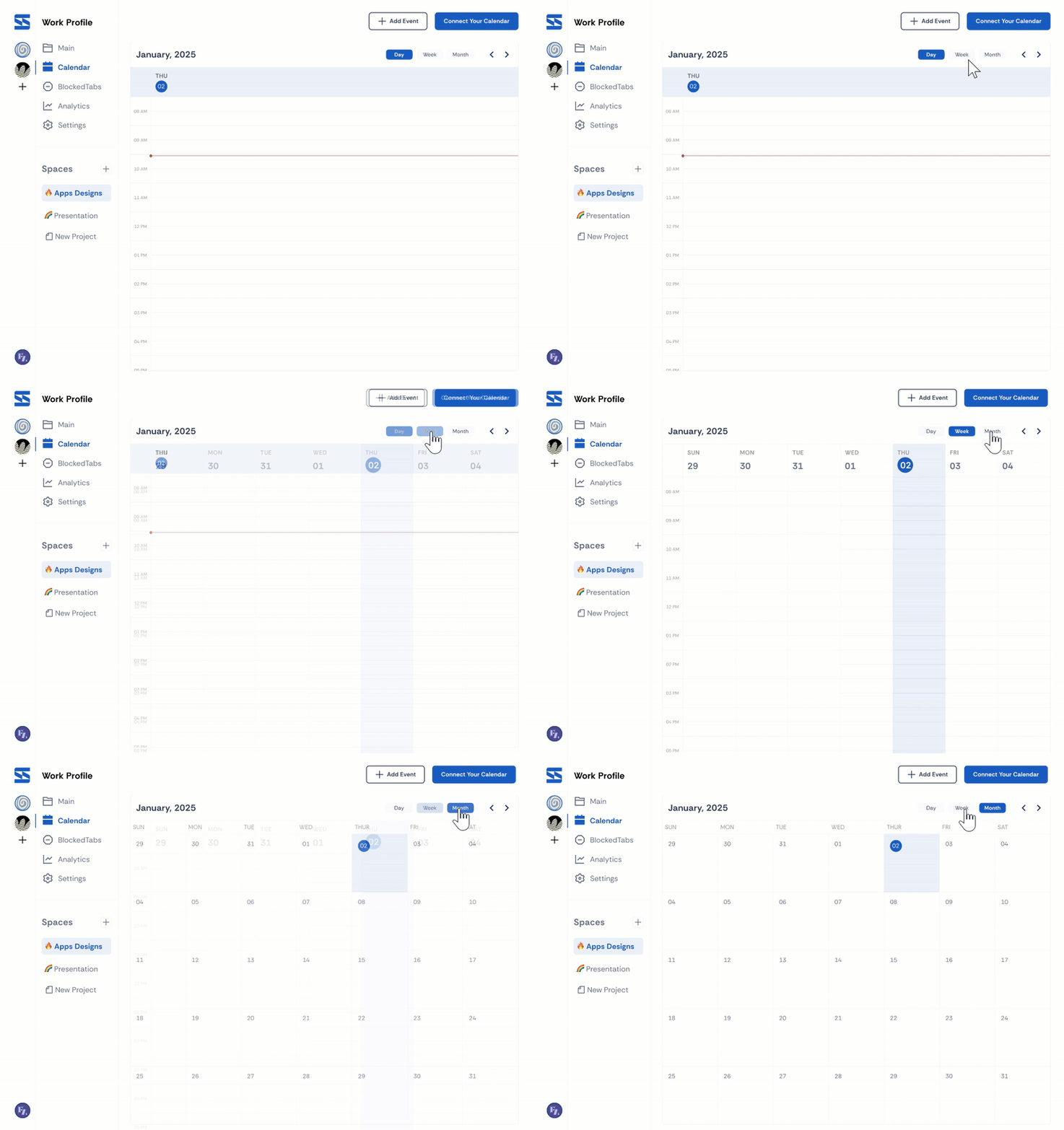
To combat this, I designed a browser extension that unifies task management, calendar integration, and tab organization—empowering remote workers to regain control over their digital environment. Key features include:


My Role
As the UX Designer, I used design thinking to explore the problem space, conducted interviews and surveys to validate user pain points, and translated insights into wireframes and prototypes.
Why Existing Tools Miss the Mark
I evaluated market competitors: RescueTime, Toby, Clockify, and others. The pattern was clear—each solved one dimension:
RescueTime tracked time but didn't help you decide what to work on
Toby organized tabs but didn't connect to your actual tasks
Clockify tracked projects but lived outside your workflow
Calendar integrations existed but operated in isolation from task context
The Root Gap: All competitors treated the remote work problem as isolated tool problems. But the real insight was that remote workers needed a cognitive bridge—a single space where their calendar, tasks, and browser presence converged into a coherent work session.
None of the competitors understood that the problem wasn't managing individual tools better—it was eliminating the context-switching tax between them.

Research Insights: Reframing the Opportunity
I conducted interviews with 5 remote workers. The persona "Layan Mohammed" crystallized the core insight, but the deeper pattern across all users was:
Users didn't want another productivity tool. They wanted their existing tools to stop fighting each other.

Affinity mapping revealed four interconnected pain points:
Tool fragmentation (switching between 8+ apps daily)
Invisibility of calendar context (didn't see time pressure while task-focused)
Loss of task continuity (switched apps = lost context of what they were doing)
No ambient awareness of breaks (worked straight through without built-in rest cues)
But the critical insight: These weren't separate problems. They were symptoms of one root cause: no single nervous system for the remote workday.

Design Thinking: The Bridge, Not the Center
This reframed the entire solution from "build a better productivity app" to "create a coordination layer."
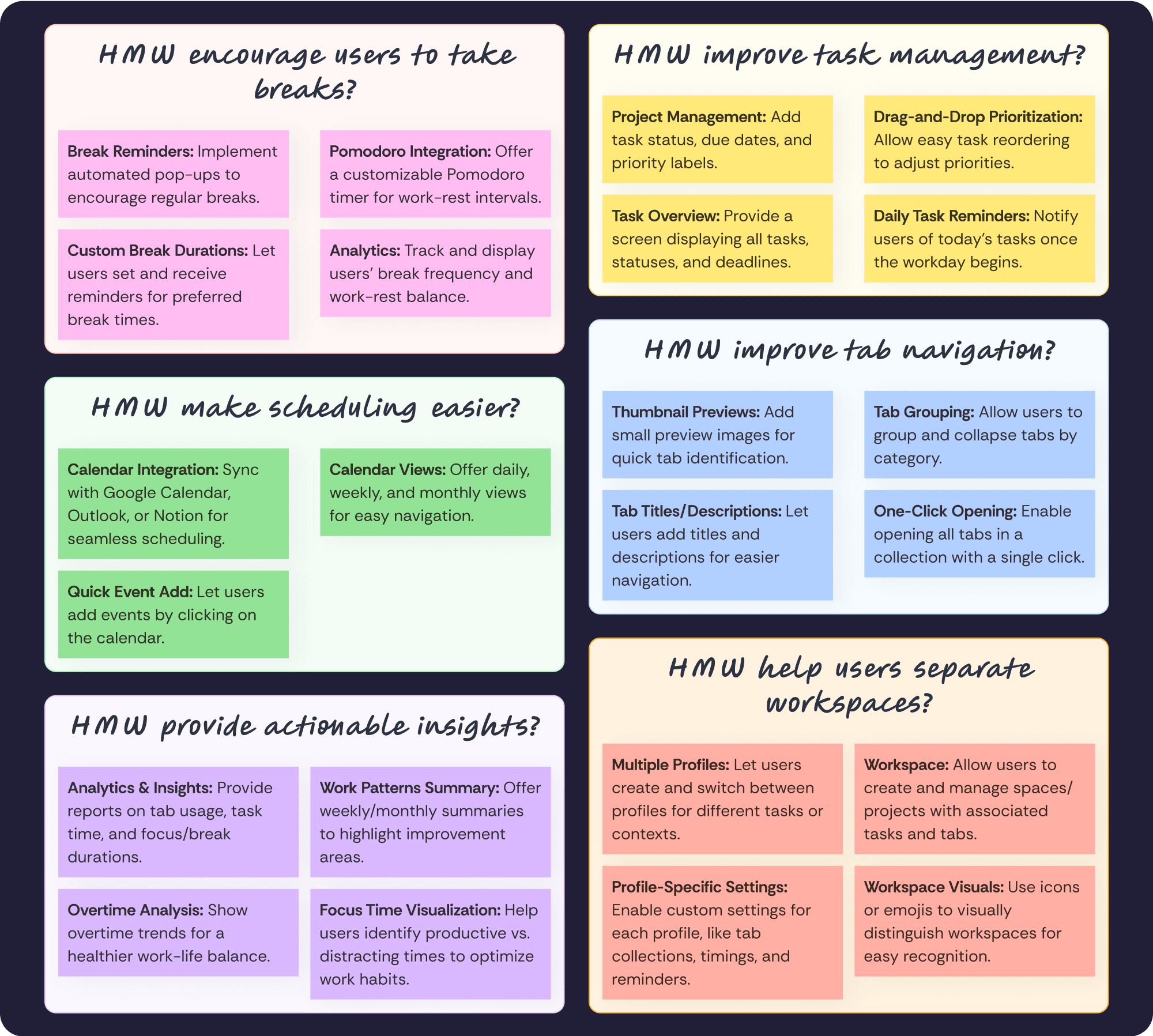
Rather than asking "How might we help users stay focused?" I reframed it: "How might we make their existing tools work as one cohesive system?"
This led to six design opportunities:
Bridge calendar and tasks (see time pressure while task-focused)
Make the browser the command center (not a separate tool window)
Visualize work continuity (see your day at a glance)
Respect existing tools (integrate, don't replace)
Enable ambient awareness (breaks, energy patterns)
Reduce decision friction (what to work on next)
Strategic Positioning: Sync positioned itself as infrastructure for remote work, not competition for existing tools. It made Asana, Google Calendar, and Slack work together—a fundamentally different value prop than any competitor offered.
Information Architecture & Wireframe Strategy
The IA reflected the core insight: one central dashboard, multiple entry points.
Rather than organizing by "tasks" or "calendar," I organized by work session context:
Onboarding: establish baseline workflow (which tools matter most?)
Dashboard: today's unified view (calendar + upcoming tasks + tab context)
Profiles/Spaces: context switching (different project spaces for different clients/roles)
Micro-interactions: break reminders, focus blocks, tab cleanup nudges

Five wireframe iterations refined this philosophy:
First iteration placed onboarding too late—moved it to first session (users needed to feel control immediately)
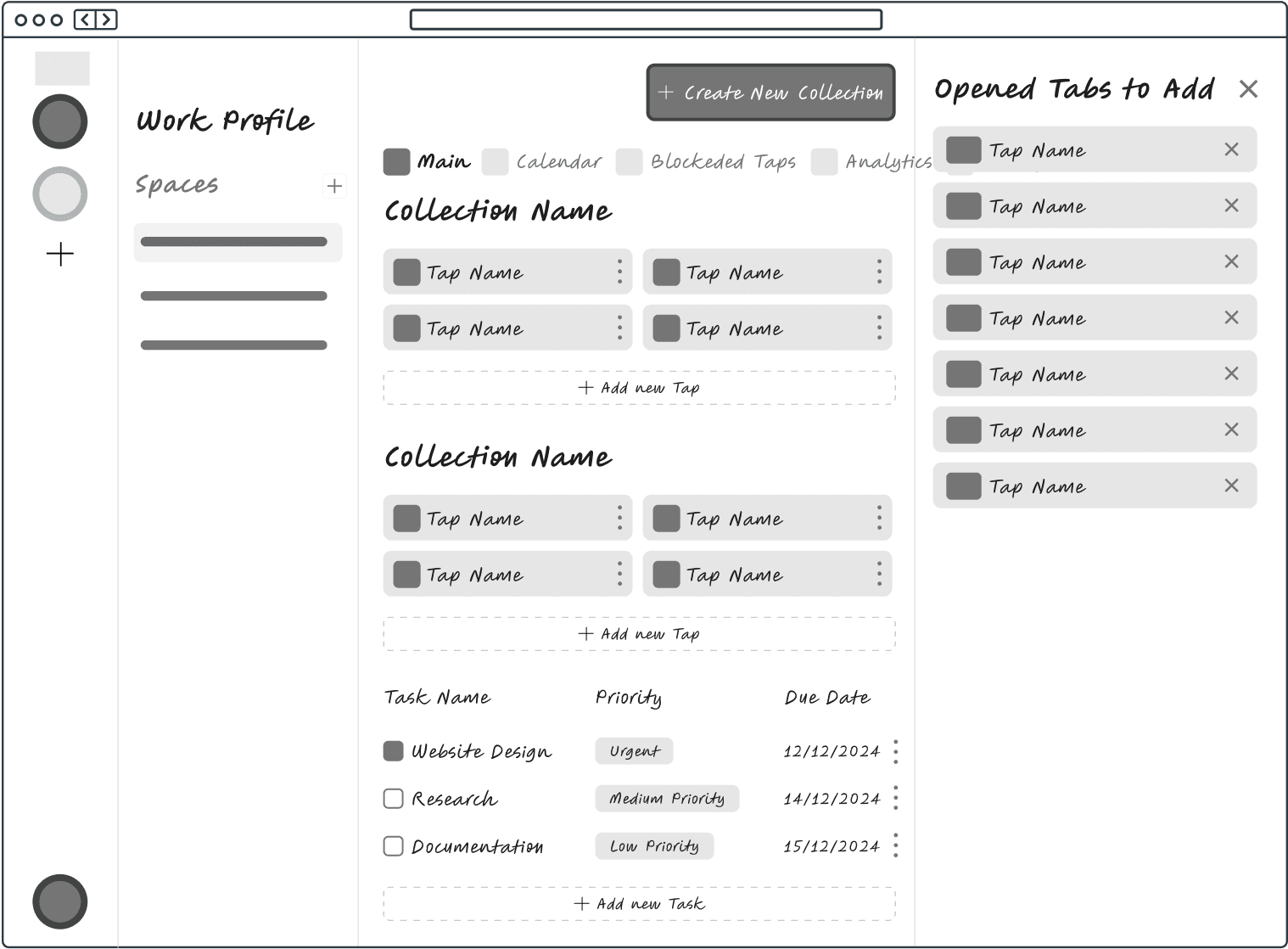
Second iteration treated tabs as secondary—made them primary (that's where workers actually live)

Third iteration had too many options—simplified to "what do I work on now?" (not 10 feature choices)

Fourth iteration added descriptions—users needed to understand why they were seeing this task

Fifth iteration showed task lists—transformed into Kanban (visualized work progress, not just inventory)

Each iteration answered: "Does this reduce decision friction or add it?"
Design System: Visual Language of Clarity
Built a visual system that communicated clarity and organization:
Typography hierarchy: Calendar tasks visually distinct from linked tasks (cognitive separation)
Dark mode as default: Remote workers can work at night; respects circadian rhythm (strategic, not trend)
Component library: Drag-drop Kanban, calendar widgets, task cards—all shared across the ecosystem
Figma Local Variables: Dark mode wasn't a cosmetic toggle; it was a design system decision embedded in tokens


Solution Breakdown
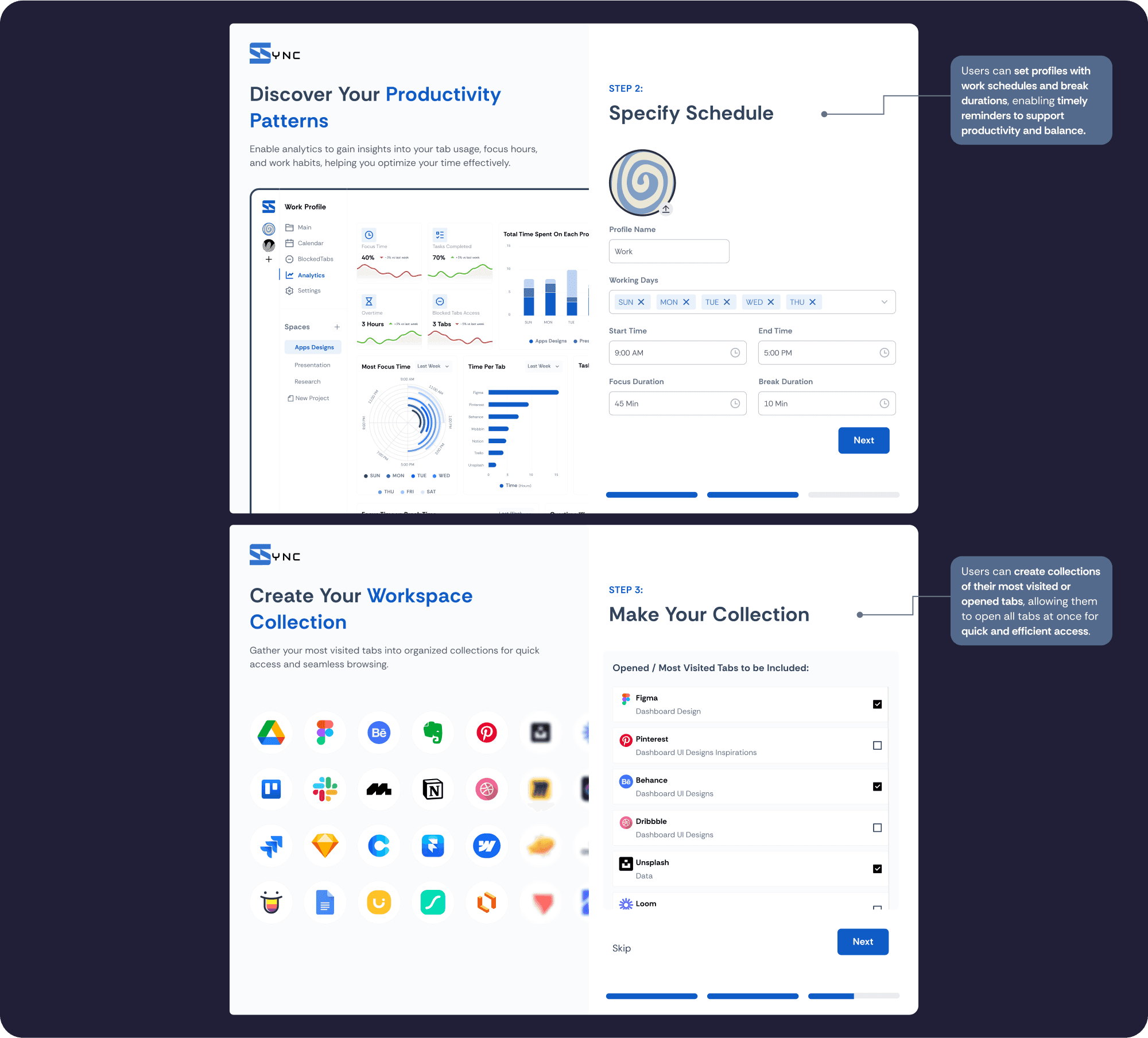

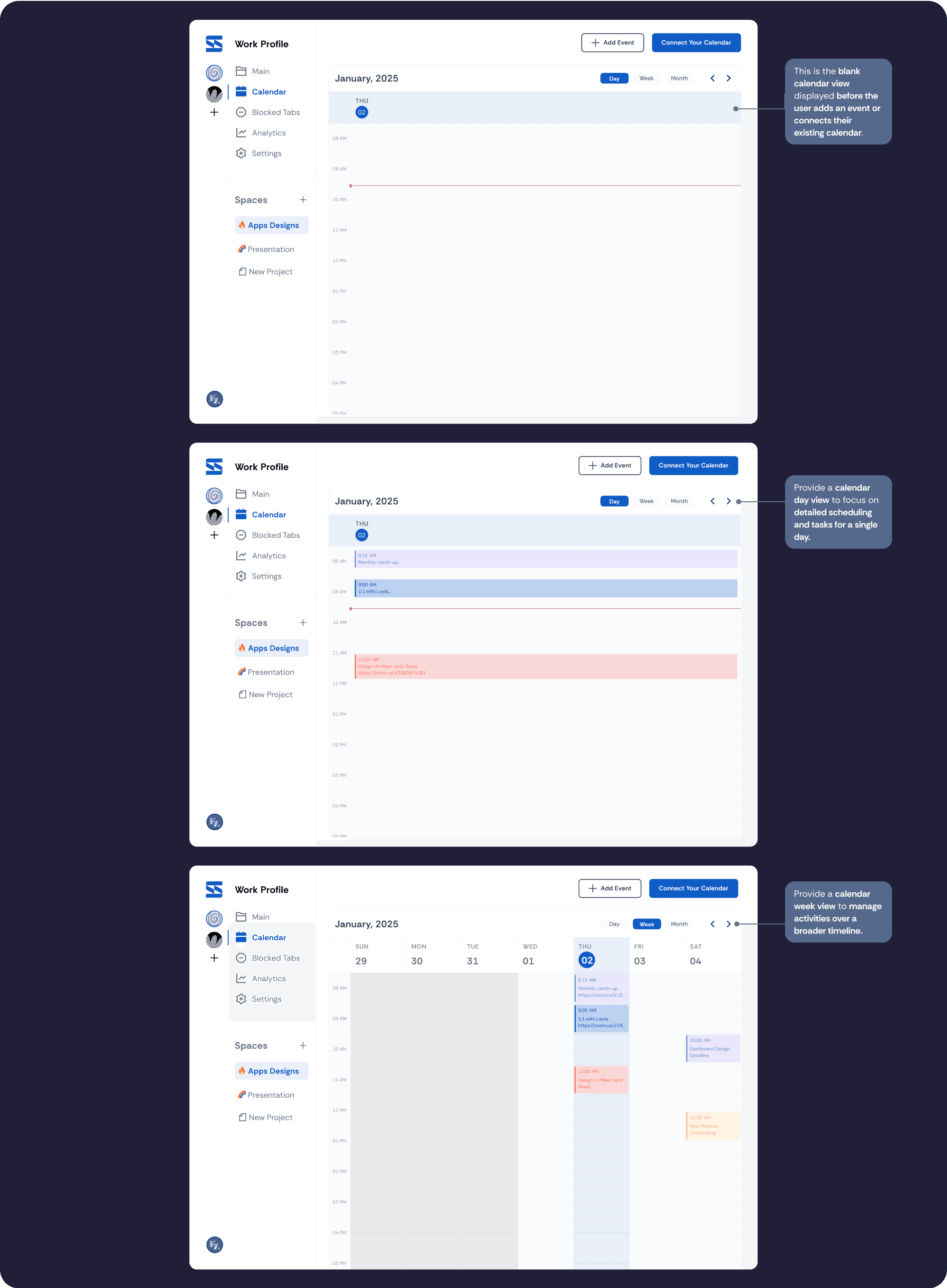


Testing & Validation: Proving the System Works
Tested with 3 remote workers (same personas from research). Key findings:
What Validated the Core Insight:
Users immediately understood "see your whole day in one place" (the bridge concept)
Tested with their real workflows (Asana + Google Calendar + Gmail open simultaneously)
Task-to-calendar visibility reduced "wait, what was I doing?" context-switch confusion
One user reported: "I finally don't have to context-switch between apps to know what's next"
What Refined the Execution:
One icon was unlabeled—resolved with tooltip (execution clarity)
Onboarding needed one more step to clarify project spaces (mental model clarity)
Tab organization was intuitive because it mirrored how users actually browse (good affordance)

Conclusion & Lessons Learned
As a UX Designer—and a remote worker for over 5 years—I created Sync to solve common but under-addressed challenges: context-switching fatigue, unstructured workflows, and the need for healthier habits while working remotely.
This project taught me:
Real users reveal the real problems. I learned to validate early and often, avoiding assumptions based on my own habits.
Micro-interactions matter. Small enhancements, like hover-to-delete or tooltips, significantly improved usability.
Design is a balancing act. Users want flexibility and structure—building a tool that supports both required thoughtful decisions across IA, flow, and UI.
Ultimately, Sync isn’t just about productivity—it’s about helping remote workers thrive in their digital workspace with structure, intention, and balance.